MY WORK
Preparing for and commanding a battle
I designed army management and battle preparation interfaces and implemented UI in Unreal Engine. This case brings together early Figma mockups and footage from a later demo.
Battle preparation
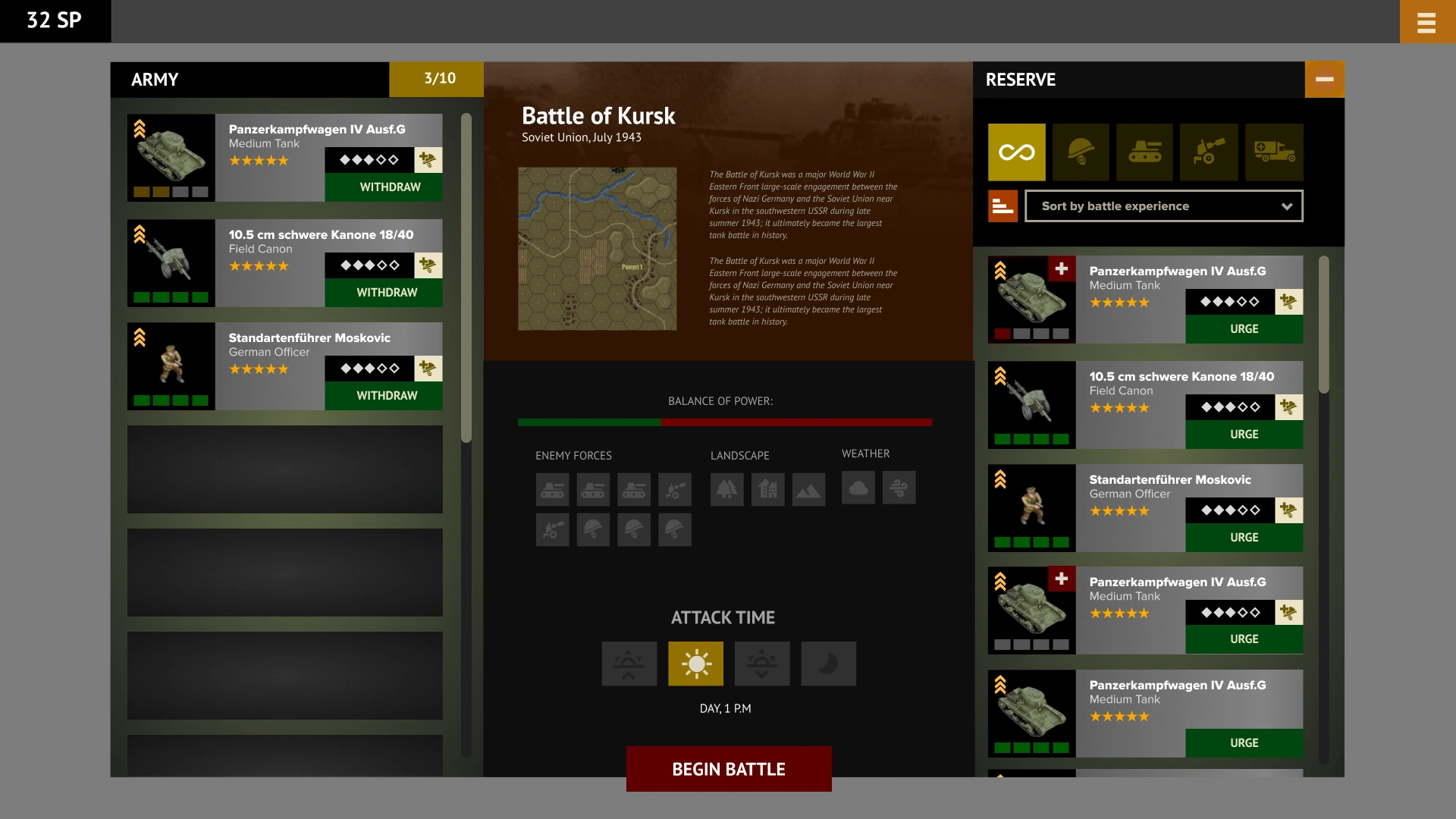
In the Figma prototype, I placed the army, mission briefing, and reserves side by side. Players can assess their forces, terrain, and weather and choose when to attack. I worked through these choices and the corresponding interface states.
Unit card
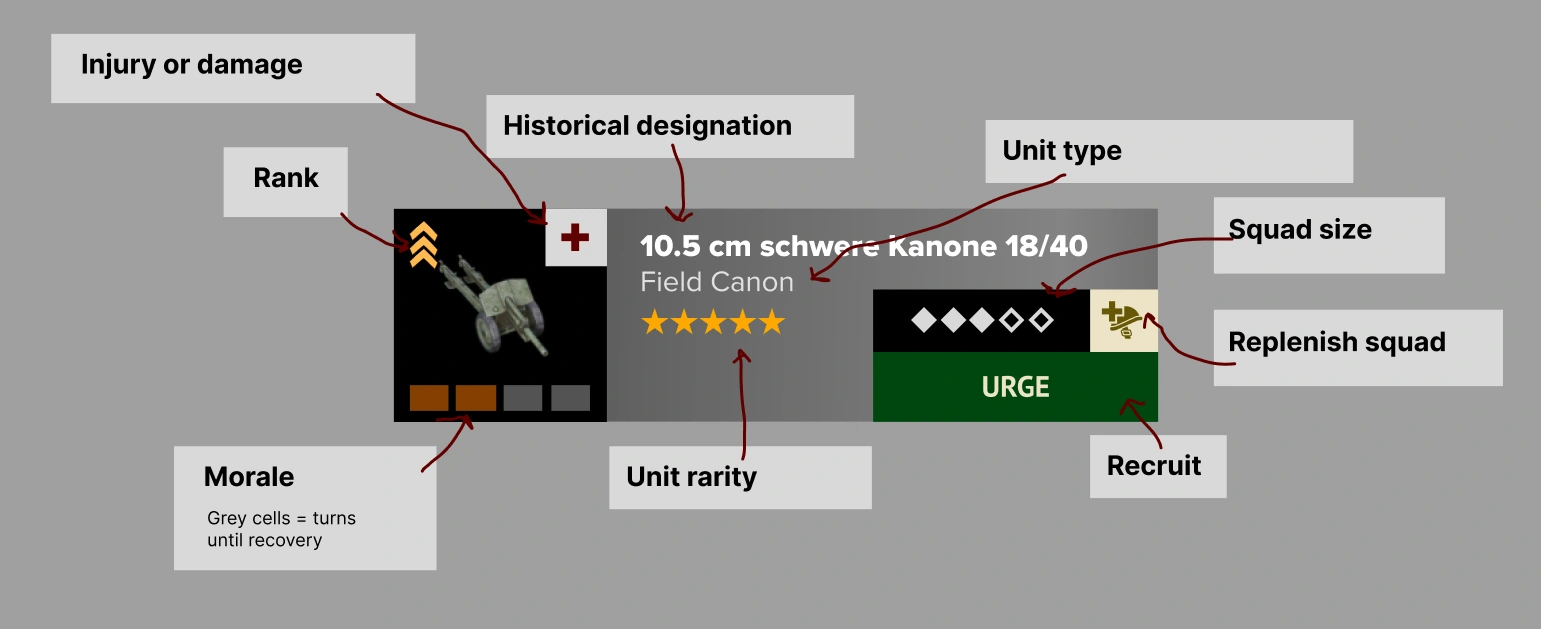
The card brings together the unit’s name and type, rank, morale, damage, and squad composition, with recruitment and replenishment actions alongside them. My working diagram explains each indicator.
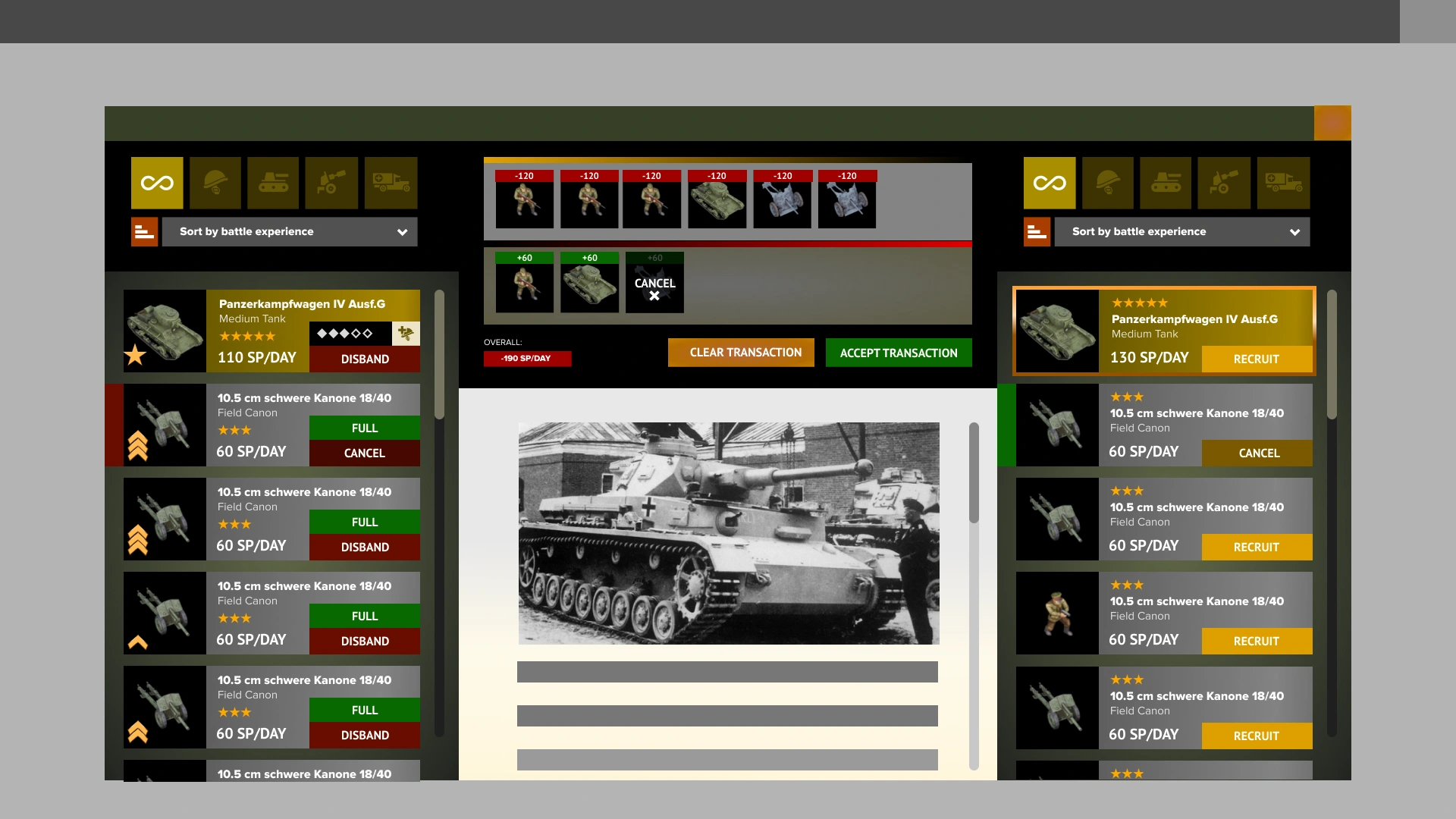
Reviewing recruitment choices
I separated the current army from available units. Pending changes and their total cost appear in a dedicated area, where the player can review the selection and undo individual changes before confirming.
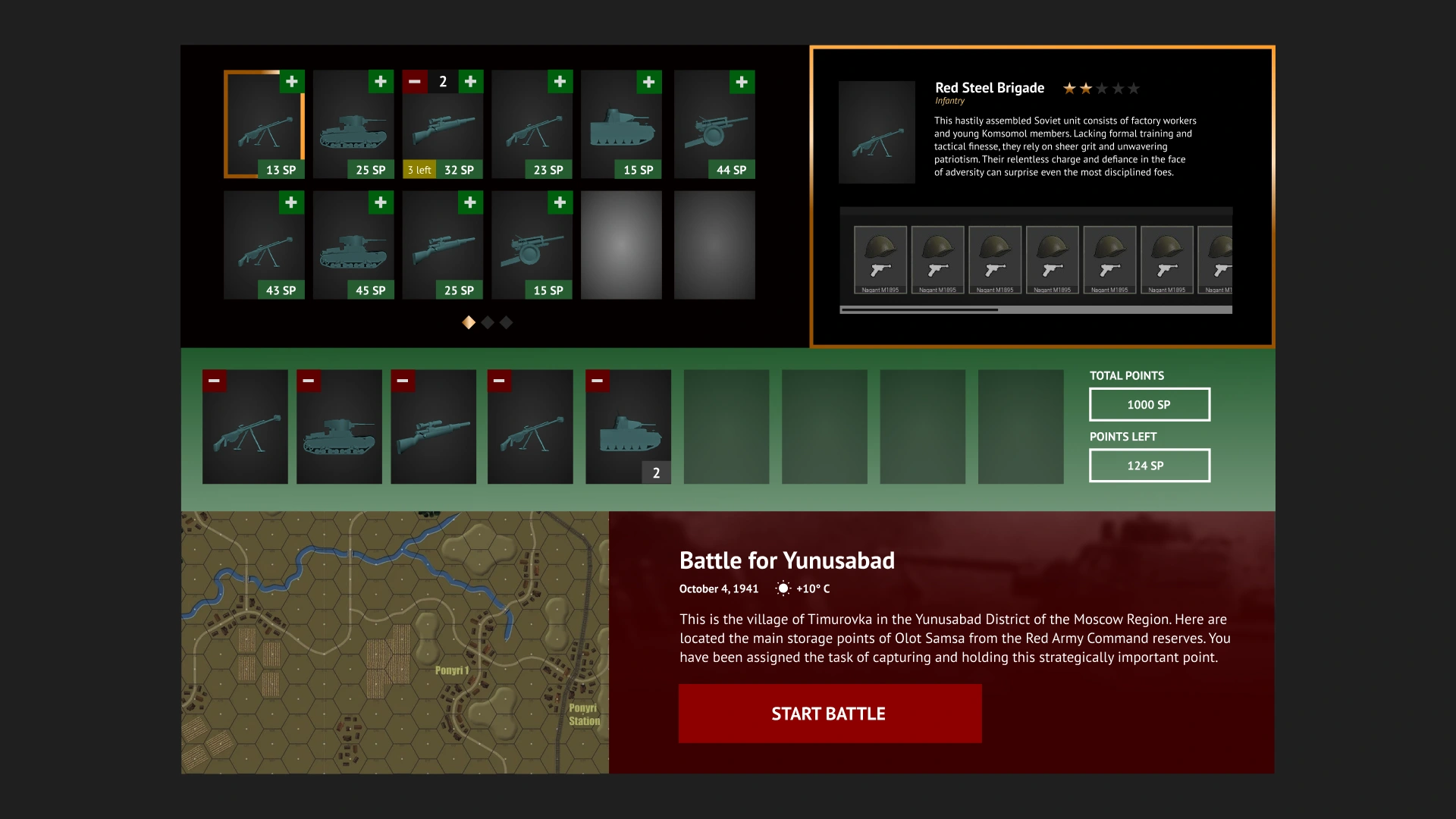
Recruitment on one screen
In another iteration, I brought the unit catalog, selected army, and briefing into one screen. Unit details sit beside the catalog, and available points sit beside the army. The mission text is placeholder copy from the mockup.
UI in the demo
I implemented UI in Unreal Engine and connected it to game systems. In the demo, selecting units changes the army and available resources while details of the selected squad remain visible.
Information during combat
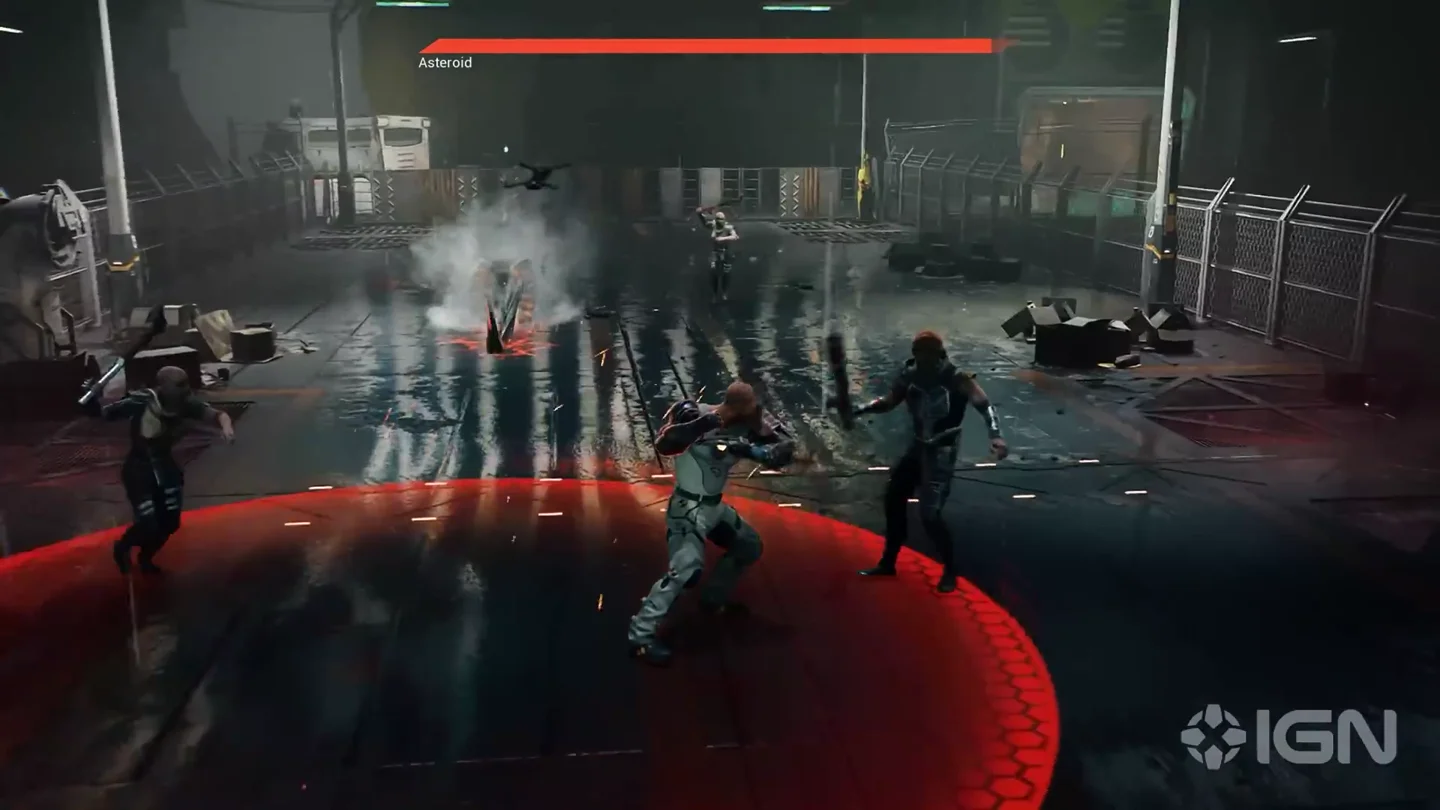
The demo shows the army roster, selected squad status, and minimap. Highlighting connects the selected unit in the interface with its position on the battlefield.
Order feedback
Targeting lines, markers, and contextual prompts show what an order will do. The footage shows this feedback alongside the squad panel.